
Guide · 5 min read
How to turn yourself into an anime character (and then into an anime)
The photo that works, the styles that keep your face, and how to go beyond a single anime portrait to a whole chapter starring you.
By the Comikaze team · Updated
Short answer
Upload a sharp, front-facing photo with your hair fully visible, choose an anime style that keeps your face (anime film, manga or shojo rather than chibi), and give yourself a scene instead of a pose, like your commute drawn as an opening episode. A comic maker then draws a whole chapter starring you; in Comikaze a chapter with a cover takes about five minutes.
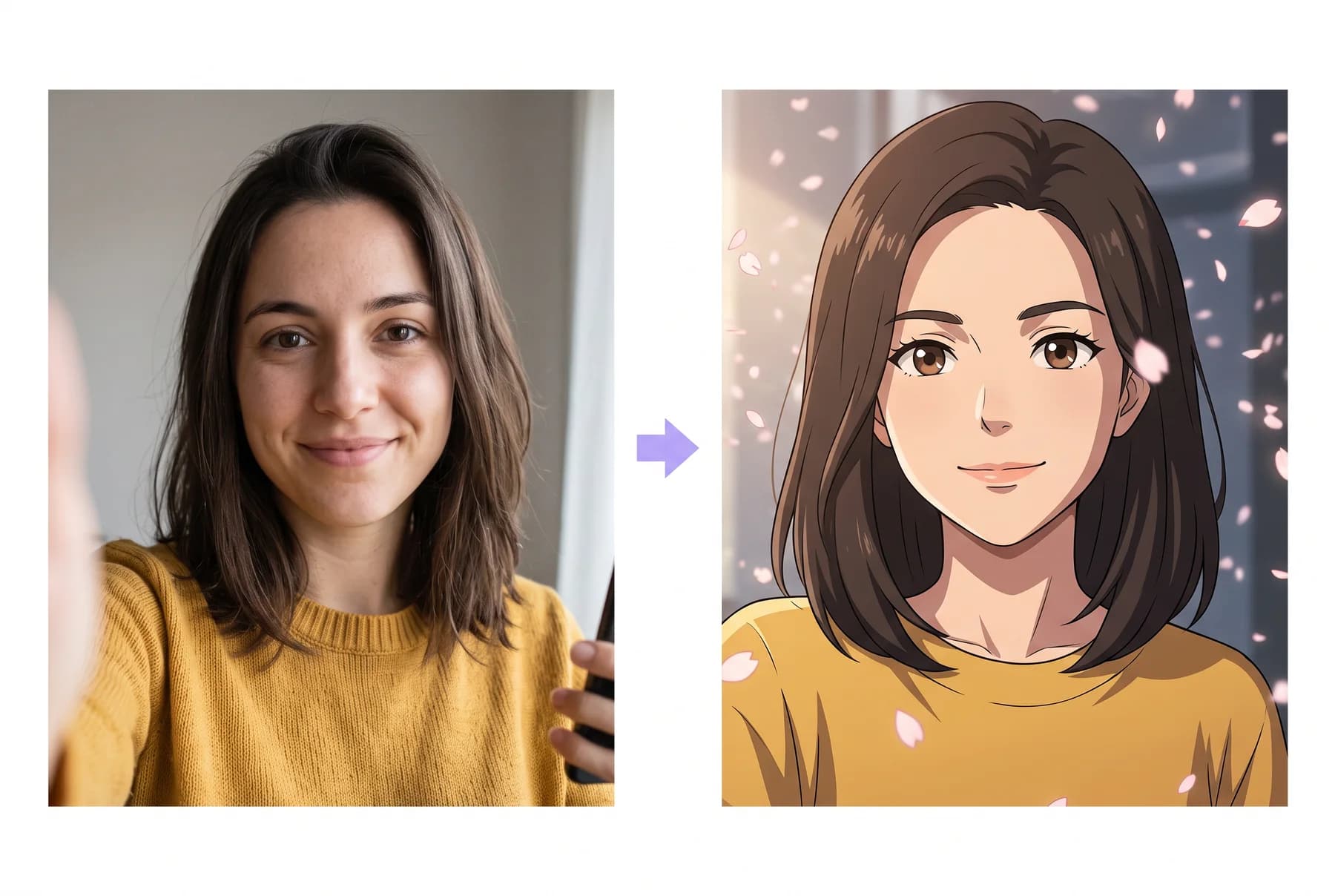
Portrait or story? Decide first
There are two versions of this trend. The quick one is an anime portrait: one image, great for an avatar. The better one is an anime story: a chapter of panels where the character is you, doing something. Portraits get posted once. Stories get read, shared and printed.
Filters and one-shot generators handle portraits. For a story you need a tool that locks your identity and draws it across many panels, which is what a comic maker does.
Pick the right photo
- Front-facing and sharp, natural light, no sunglasses.
- Hair fully visible. Anime leans heavily on hair shape for likeness.
- One person per photo. Solo selfies convert best.
- Skip heavy filters. The AI needs your real features to keep them.
Choose a style that keeps your face
Anime film style gives painted backgrounds and soft light, closest to a movie still. Classic manga is black and white with screentones. Shojo adds sparkle and emotion. All three preserve face shape, hair and skin tone from the photo; chibi trades likeness for cuteness, so save it for the joke version.
Give yourself a scene, not a pose
The prompt that produces a great anime version of you is a moment: your commute as an opening episode, the day you got your powers, exam week as a tournament arc. One or two sentences is enough; the panels, pacing and dialogue are generated around them.
In Comikaze, upload the photo, pick Anime Film, write the moment, and a full chapter with a cover draws in about five minutes.